
The best investment research depends on private context: your mandate, prior memos, sector work, sell-side notes, diligence files, and the assumptions your team has already debated. Until that context is available to the AI, every answer starts from an incomplete picture.
This update introduces Vault and a new Terminal experience. Vault gives Kimpton a secure place to store and retrieve your research documents. Terminal gives power users a faster, denser way to watch Kimpton work through complex analysis in real time.
What's New
- Vault page for uploading, searching, downloading, and deleting research documents
- PDF upload support with large-file handling and semantic search
- Markdown upload support for internal notes and structured research
- Pro tier gate and upgrade flow for Vault access
- Dense Ask Kimpton workspace for live research sessions
- Live reasoning, tool calls, prompt history, and a resizable workspace panel
Why This Matters
Most AI research starts with whatever the model already knows or can find publicly. Real investing does not work that way. Your edge often lives in internal notes, prior diligence, portfolio constraints, and the way your team frames a problem.
Vault lets Kimpton reason with that context. Terminal makes the reasoning process easier to inspect, especially for users who want to see every data fetch, tool call, and intermediate step as it happens.
Vault
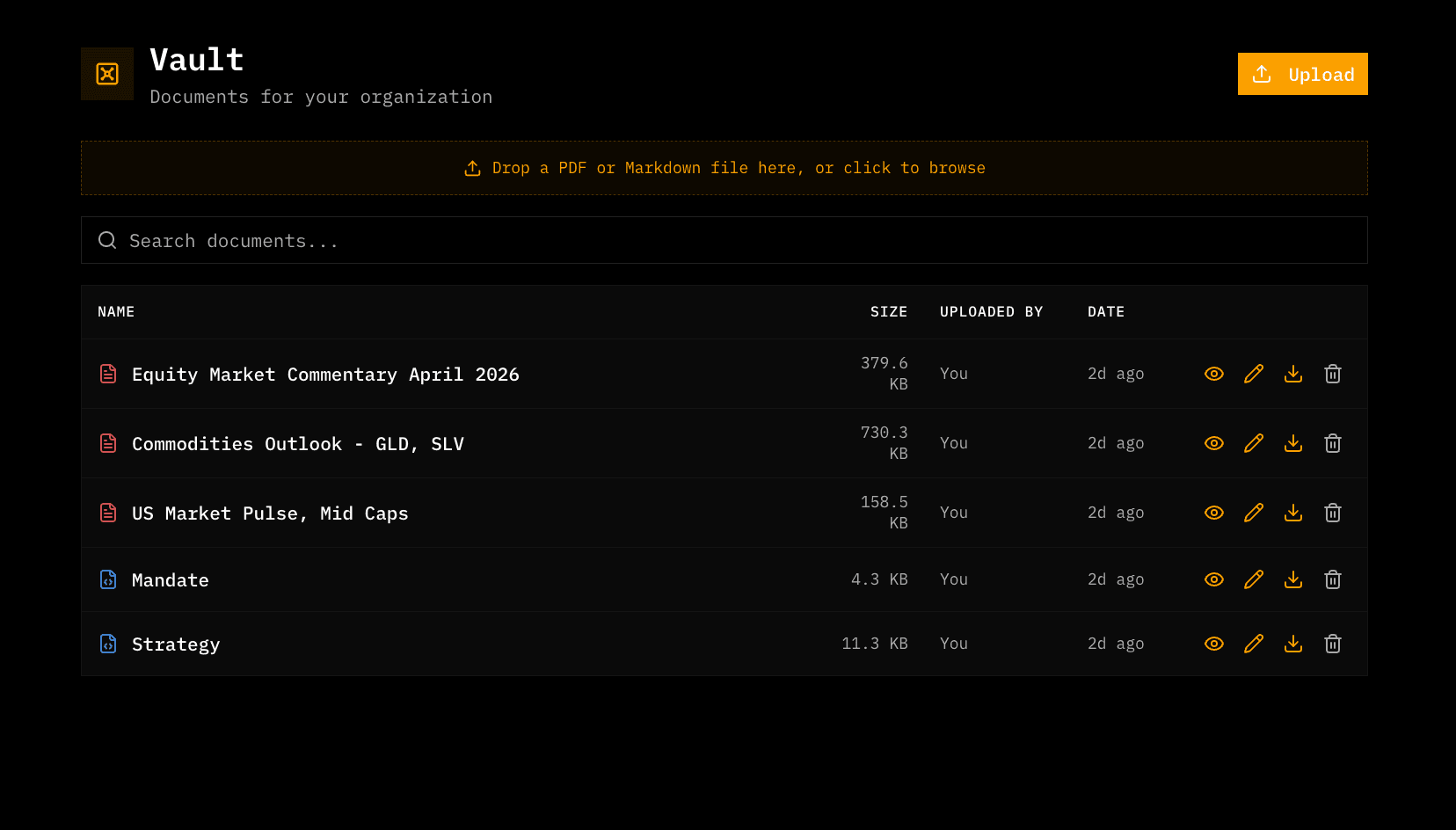
Vault is a document workspace for investment research. Upload PDFs and markdown files, search across them, and make those files available as context for future research workflows.
- Drag-and-drop document upload
- PDF and markdown support
- Semantic search across stored documents
- Document table with download and delete actions
- Typed error handling for storage and tier limits
Try adding
- “Your investment mandate”
- “A recent earnings transcript”
- “A sell-side initiation report”
- “A portfolio review memo”
- “A sector model exported as markdown”
Terminal
The new Terminal experience turns Ask Kimpton into a denser research workspace. It supports live reasoning streams, tool-call rendering, prompt history, and a resizable panel for working through longer analysis without losing context.
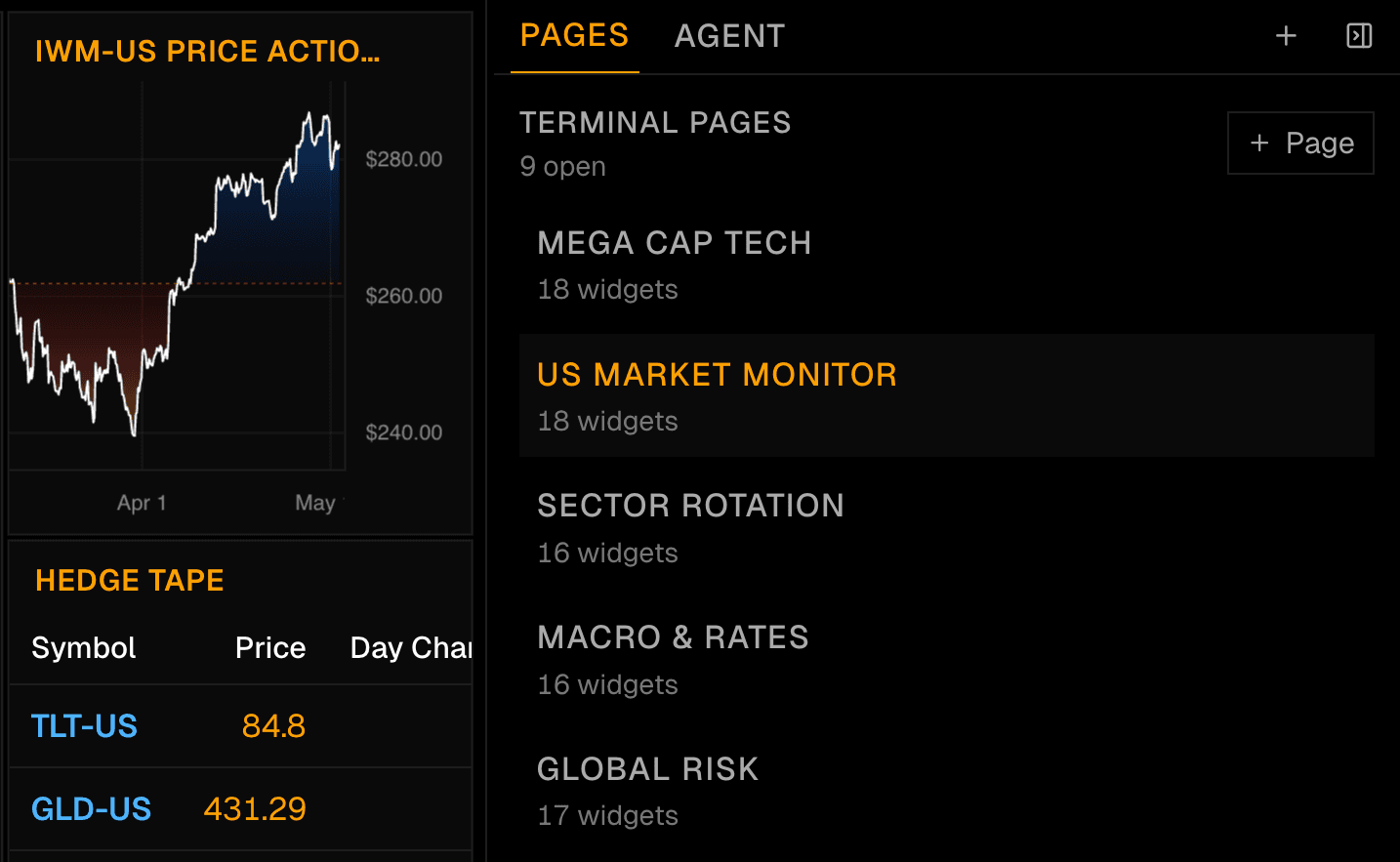
- Open Terminal with a keyboard shortcut
- Use prompt history to rerun or refine questions
- Watch reasoning and tool calls stream live
- Resize the panel while preserving the workspace underneath
- Capture generated widgets into the surrounding dashboard workflow
Trade Proposal Workflows
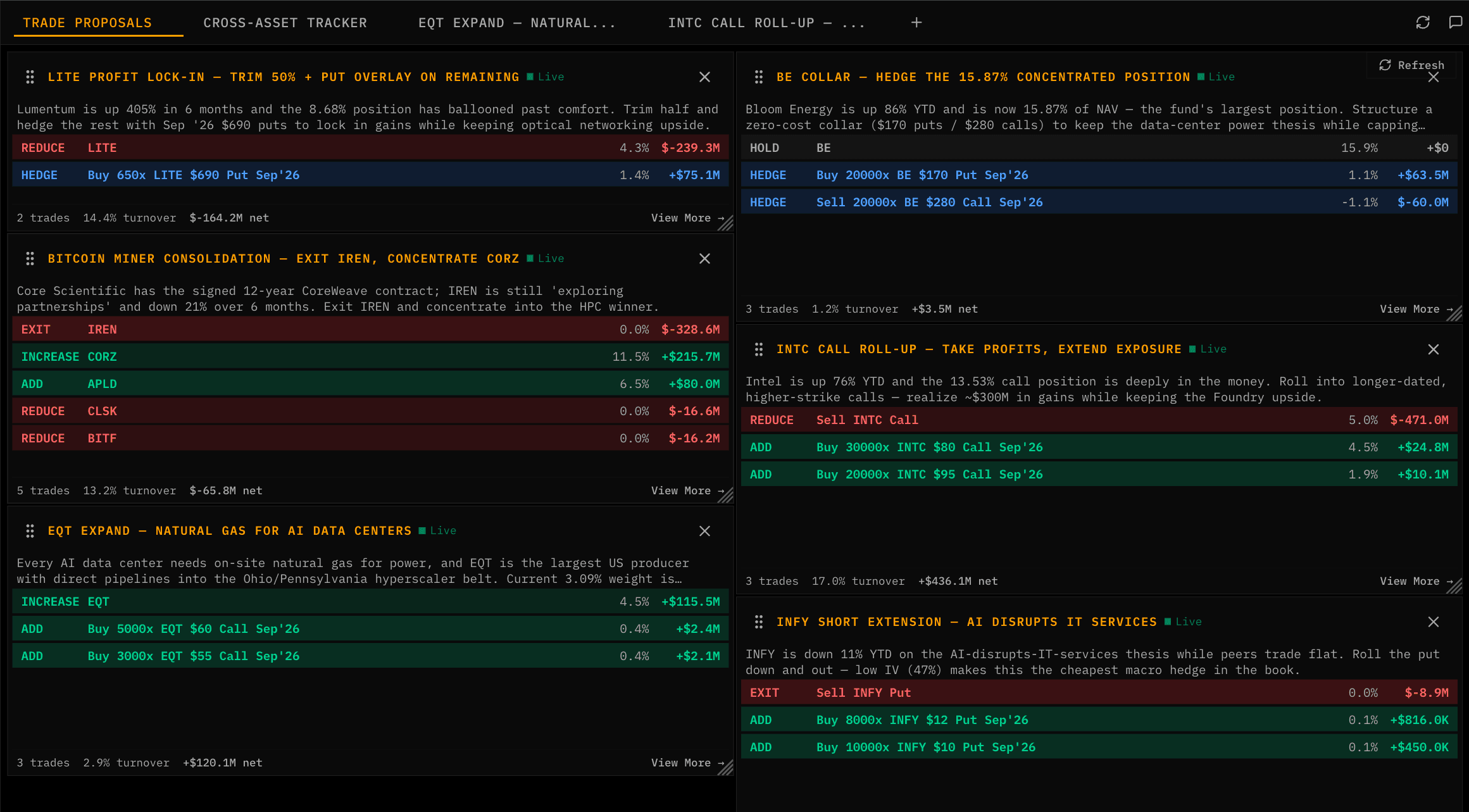
Terminal also became a better workspace for trade proposals. Proposal tabs, canned demo workflows, and workspace controls make it easier to run structured analysis while keeping the main workspace focused.
Try the latest update
Upload a research document to Vault, open Terminal, and ask Kimpton to analyze a market question with your private context in view.
Join our newsletter to get early access to new Kimpton AI features and updates.