
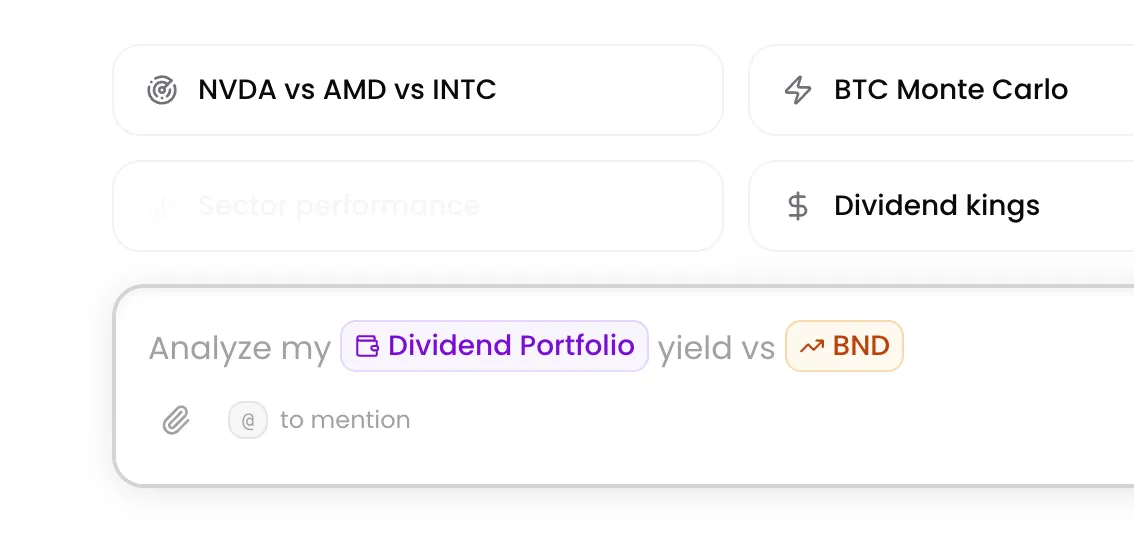
Research is only as good as its context. Until now, Kimpton inferred what you were asking about from your question. Now you can tell it directly. Type $ to reference tickers, use context references for portfolios and accounts, and Kimpton builds its research around exactly what you point it to.
This update also introduces file attachments for uploading PDFs and images directly into your research.
What's New
- $ ticker references plus context references for portfolios and accounts
- File attachments with PDF text extraction and image uploads
- UI refinements: text area redesign, quick action rotation, on-brand chart colors
Why This Matters
Every research tool makes you describe what you want to analyze. You type out the ticker, specify which account, or paste in a document. Context gets lost between the question and the answer.
With structured references, context is a first-class input. Point Kimpton at exactly what you mean and it carries that context through every step of its research. Combined with file uploads, this is the foundation for research that feels like an IDE — where every input is structured, connected, and precise.
Context References
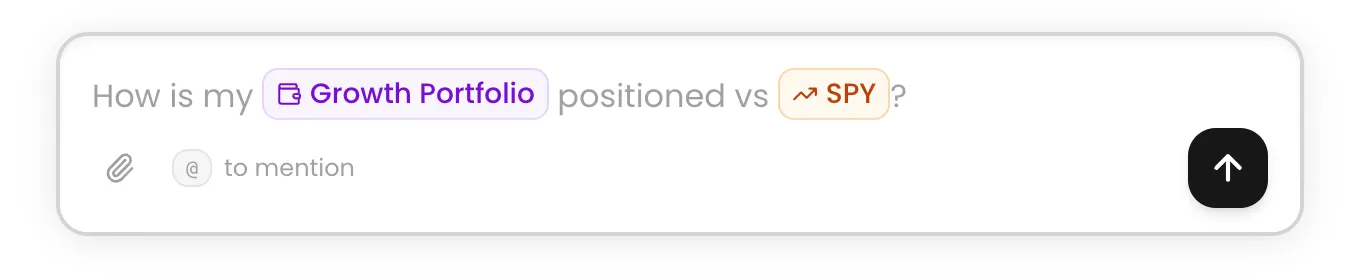
Type $ before a ticker, or use the context picker for portfolios and connected accounts. Kimpton injects that context directly into its research pipeline — no need to spell out "look at my Schwab account" or "check $AAPL." Just $AAPL or @Portfolio and it already knows.
- Reference any ticker across equities, crypto, futures, and commodities
- Pull in your connected portfolio or specific brokerage account
- Autocomplete with spacebar for fast selection
- Multiple references in a single message for cross-reference queries
Tickers
Type $AAPL, $BTCUSD, or $CL and Kimpton loads the latest price data, fundamentals, and news for that asset before it starts researching. No ambiguity — the context is locked in before the first token generates. This works across equities, crypto, futures, and commodities.
Try asking
- “What is driving $NVDA today?”
- “How is $AAPL performing relative to $MSFT this quarter?”
- “Compare $BTCUSD to $GC over the past year”
- “What does the options flow look like for $TSLA ahead of earnings?”
Portfolios and Accounts
Reference your connected portfolio or a specific brokerage account to bring your holdings into the conversation. Kimpton pulls your current positions, allocation, and account metadata so you can ask questions grounded in what you actually own.
Try asking
- “What is my @Portfolio exposure to the semiconductor sector?”
- “How would a 5% rate hike affect @Portfolio?”
- “Which positions in @Portfolio have the highest concentration risk?”
- “Show me the sector breakdown of @Portfolio versus the S&P 500”
Combining References
Use multiple references in a single message to cross-reference assets, compare holdings to benchmarks, or ask about relationships between any combination of tickers and portfolios. Kimpton loads context for each reference independently and reasons across all of them.
Try asking
- “How does @Portfolio correlate with $BTCUSD and $GC?”
- “Compare $AAPL and $GOOGL earnings growth over the past 4 quarters”
- “What would happen to @Portfolio if $CL dropped 20%?”
File Attachments
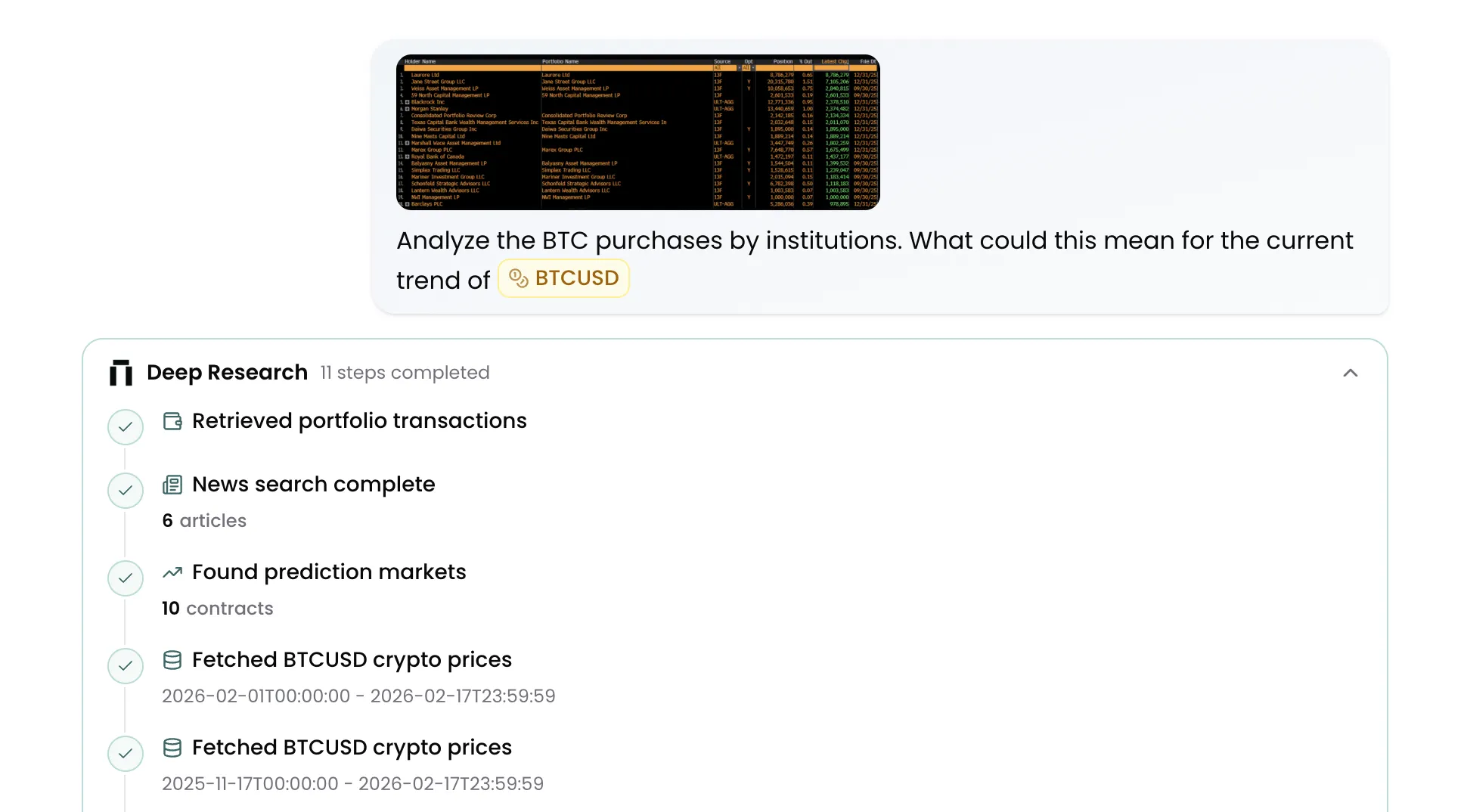
Upload PDFs, images, and documents directly into the chat. Kimpton extracts text from PDFs and processes images as part of your research context. Drop in an earnings report, a research note, or a screenshot and ask questions about it.
- PDF text extraction with chunked upload support
- Image attachments rendered inline
- Multimodal messages — combine text, files, and structured references in one prompt
UI Improvements
- Redesigned text area with smoother animations and autofill via spacebar
- Rotating quick action suggestions on the home screen
- On-brand chart color palette across the workspace
- Sidebar tooltip and navigation fixes
- Improved dark mode consistency across billing and settings
Try the latest update
Type @, drop in a file, and let Kimpton research with the full context. More updates are coming as we continue building the most connected research platform for investors.
Join our newsletter to get early access to new Kimpton AI features and updates.